🔄 Integrate with Admin Panel
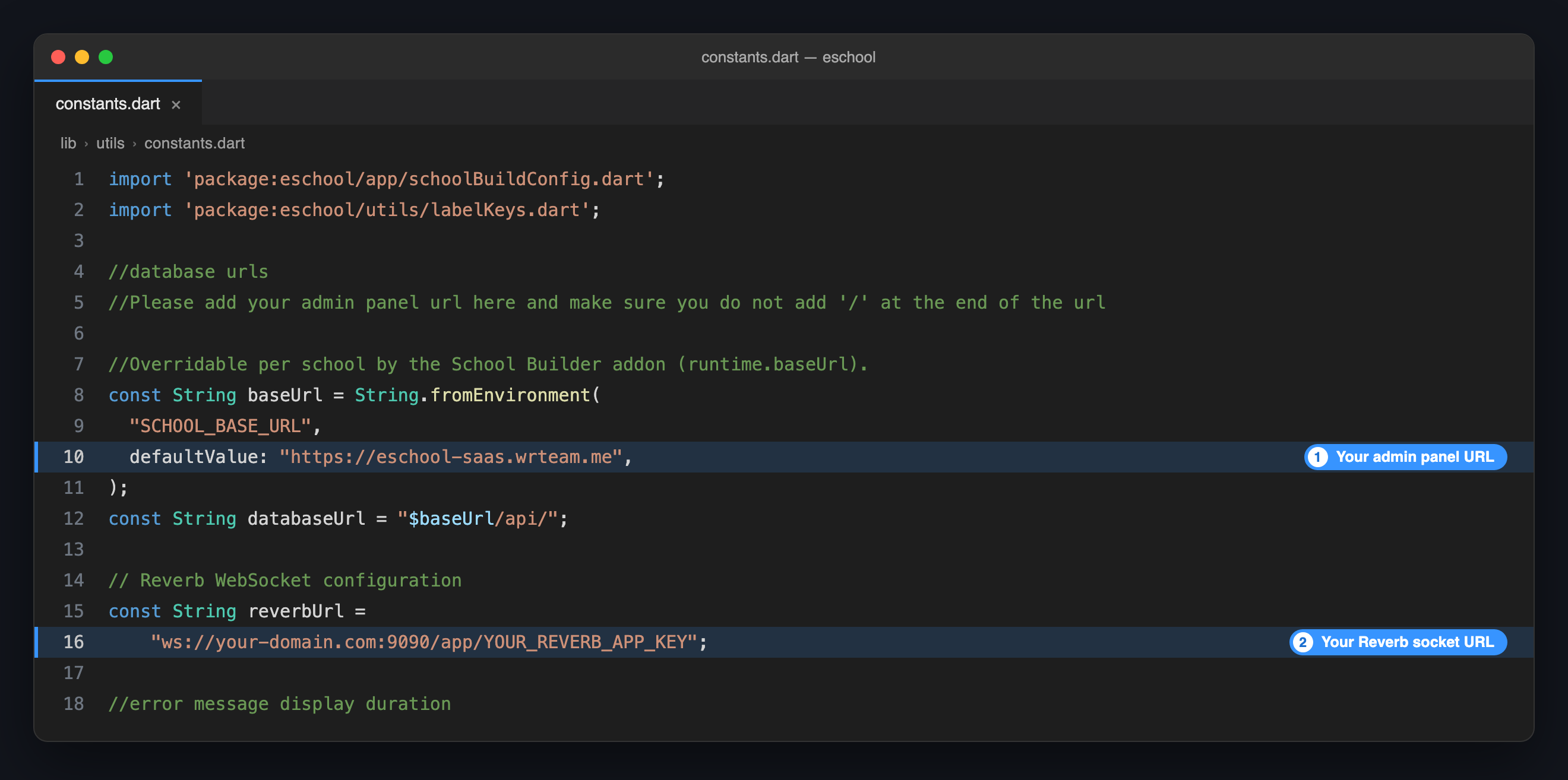
The apps reach your admin panel through two addresses, and both are set in one file: lib/utils/constants.dart.
| Address | What the app uses it for |
|---|---|
Admin panel URL (baseUrl) | Every API request: login, attendance, fees, results and the rest. |
Reverb socket URL (reverbUrl) | Live updates, such as chat messages arriving without a refresh. |
The file and the steps are the same in the Student/Parent app and the Staff/Teacher app. Do them in both.
📋 Before You Start
| Item | Details |
|---|---|
| Admin panel URL | The address you open your admin panel at, for example https://school.yourdomain.com. |
| Reverb app key | REVERB_APP_KEY from the admin panel's .env file. See the Reverb Setup Guide. |
Step 1: Set the Admin Panel URL
- Open
lib/utils/constants.dart. - Find
baseUrland replace thedefaultValuewith your admin panel URL:
const String baseUrl = String.fromEnvironment(
  "SCHOOL_BASE_URL",
  defaultValue: "https://school.yourdomain.com",
);
defaultValue- No
/at the end.https://school.yourdomain.comis right;https://school.yourdomain.com/breaks every request. - Keep
"SCHOOL_BASE_URL"andString.fromEnvironmentas they are. The Dedicated School Mobile App add-on uses them to give each school its own URL. - Leave
databaseUrlalone. It is built frombaseUrl.
Step 2: Set the Reverb Socket URL
In the same file, replace reverbUrl with your own socket URL:
const String reverbUrl =
    "wss://school.yourdomain.com/app/YOUR_REVERB_APP_KEY";
Use the form that matches your server:
| Your admin panel runs on | Socket URL |
|---|---|
HTTPS, with the /app/ proxy from the Reverb guide | wss://YOUR-DOMAIN/app/YOUR_REVERB_APP_KEY |
| HTTP, or Reverb reached directly on its port | ws://YOUR-DOMAIN:9090/app/YOUR_REVERB_APP_KEY |
Use wss:// on a live server. A ws:// address needs port 9090 open in your firewall.
Step 3: Repeat in the Other App
Open the second app's project and make the same two changes in its lib/utils/constants.dart. Both apps must point at the same admin panel.
Step 4: Check It Works
-
Stop the app and run it again. These values are built into the app, so a hot reload does not pick them up.
flutter run -
Log in with an account from your admin panel.
-
If your school uses chat, send a message to that account from another one. It should arrive without reopening the screen.
🏫 Building Apps for Several Schools?
With the Dedicated School Mobile App add-on, each school can have its own admin panel URL, set as API base URL in the builder. A school that leaves it empty uses the defaultValue you set here.
🛠️ Troubleshooting
| Problem | Likely cause | What to do |
|---|---|---|
| Login fails, or every screen shows an error | A / at the end of baseUrl, or http:// where your panel uses https:// | Copy the address from your browser's address bar and remove the last /. |
| The app still talks to the old address | The app was hot reloaded, not restarted | Stop the app and run it again. |
| Chat messages only appear after reopening the screen | Reverb is not running, or reverbUrl is wrong | Check the Reverb Setup Guide, then compare the key in reverbUrl with REVERB_APP_KEY. |
| Chat never connects | A ws:// address with port 9090 closed, or a wss:// address without the /app/ proxy | Open the port, or add the proxy from the Reverb guide. |